Moving activities from an Apple Watch to Tredict and back has long been well covered, with RunGap, HealthFit and Watchletic all doing the job. The body data the watch collects along the way is another matter. HRV, sleep duration and resting heart rate stay behind in the Apple ecosystem.
Tredict user Maximillian wasn't content to leave it at that and built a handful of Apple Shortcuts that upload exactly those three values to Tredict through the "Tredict Personal API". And Maximillian has been kind enough to make them available to every Tredict user. Many thanks for that!
The shortcuts are free to use for non-commercial purposes.
The shortcuts to download
HRV, resting heart rate and sleep duration each get an upload shortcut, and each one has a matching gap checker.
Upload
Tredict-HRV-Export.shortcut
Tredict-HR_Rest-Export.shortcut
Tredict-Sleep-Export.shortcut
Gap checkers
Tredict-HRV-Gap_Detection-Export.shortcut
Tredict-HR_Rest_Gap_Detection-Export.shortcut
Tredict-Sleep_Gap_Detection-Export.shortcut
Setting up your personal access token
The shortcuts exchange data through the Tredict API, so you will need a personal access token. You create one under Settings → Personal API / MCP. The permissions "bodyvaluesRead" and "bodyvaluesWrite" are all it takes. The FAQ on the Tredict Personal API explains how that works in detail.
After that, the first step is the same in every shortcut. Your personal token goes into the topmost text field. Maximillian built the shortcuts in German, so the placeholder reads "Hier bitte persönlichen Token einsetzen!" and the screenshots below are in German too. Replace the placeholder with your own token and the shortcuts are ready to run.
Never pass your personal token on to anyone else. If you share the shortcuts yourself, remove your token first, just as Maximillian did.
HRV
The shortcut asks for the day's HRV in a small input prompt and sends it to Tredict. Once the value is through, it reports back what you entered, the average HRV calculated by Tredict if there is one, and the response from the server.
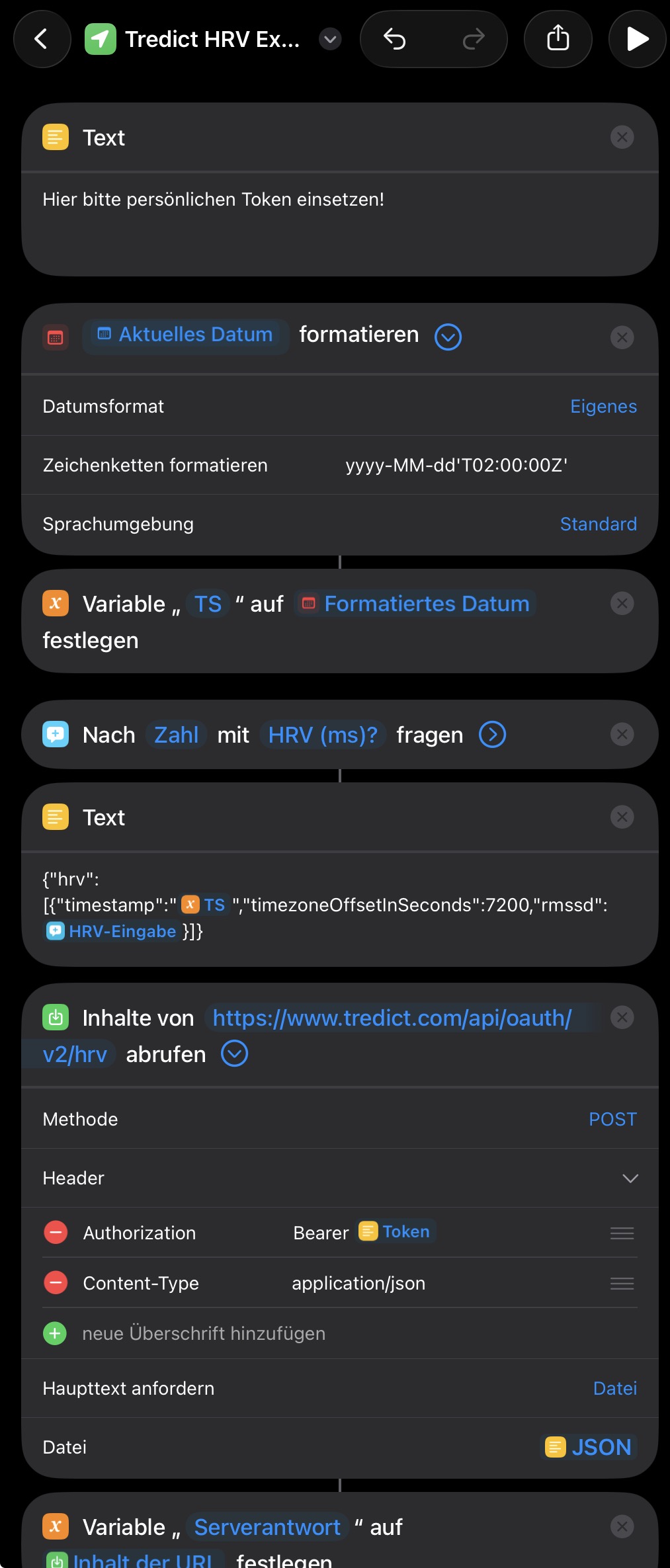
The HRV shortcut assembles the JSON call and sends it to the Tredict HRV endpoint.
Maximillian points out that Apple records HRV as SDNN, the standard deviation of the intervals between heartbeats. As a general indication of your health, that works well. For training, though, RMSSD is the accepted standard, and it is what Garmin sports watches and Oura rings use. On iOS, third-party apps such as Livity or Athlytic derive an RMSSD HRV from those same beat-to-beat intervals. That is how Maximillian does it, but it comes down to taste.
Resting heart rate
The simplest of the three shortcuts. It asks for your resting heart rate and writes it to Tredict. The message you get back shows the value you entered and the response from the server.
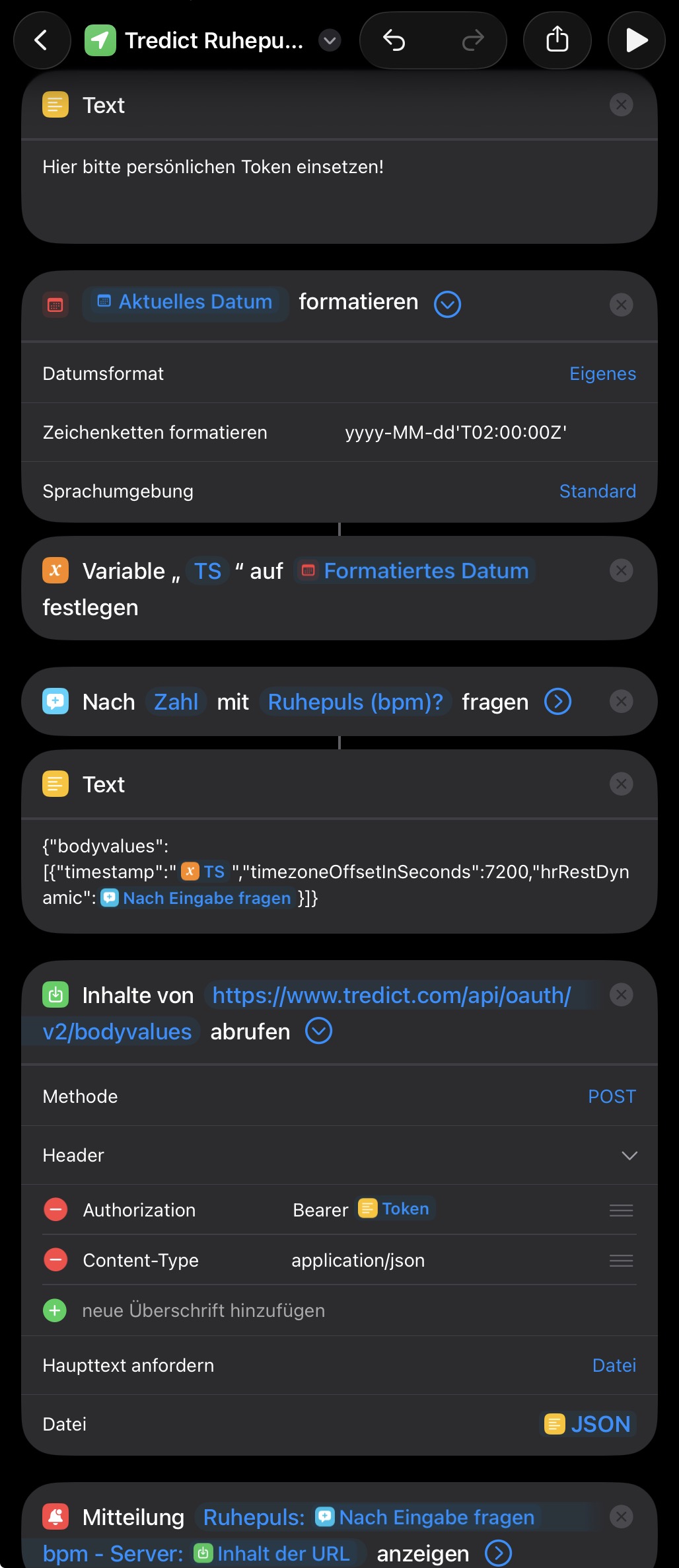
The resting heart rate goes to the body data endpoint as "hrRestDynamic".
Sleep duration
The most involved of the three shortcuts. The Tredict API requires that the actual sleep duration is no longer than the time window you submit, which is the end of sleep minus the start of sleep.
So that you do not have to enter a start and an end time on top of the duration, the shortcut works with a fixed dummy window. The start sits on the previous day, which gives an 11-hour window, long enough for any realistic night.
The sleep duration itself is entered in two steps, hours first and minutes second, and is then converted into seconds, which is what the Tredict API expects. One cosmetic step is needed before the duration can be reported back to you. Single-digit minutes get a leading zero, because otherwise "7:08h" would come back as "7:8h".
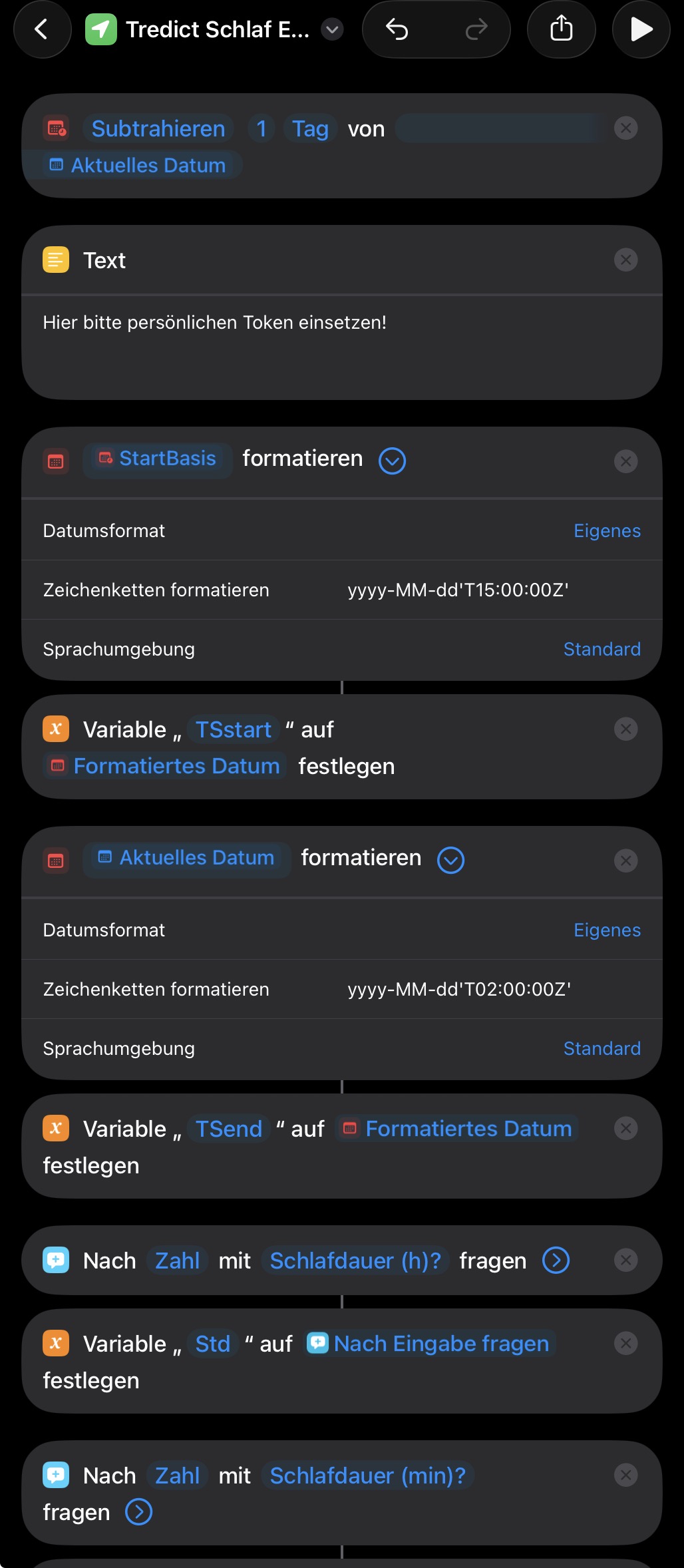
The sleep shortcut first sets the dummy time window and then asks for hours and minutes.
Gap checkers for past days
The same three values also come with a gap checker each. They look back over a period of your choosing and tell you which days have no body data on file. The default is 30 days, which you can change inside the shortcut.
That comes in handy after a holiday, for instance, or if you would rather not record your values every single day, or when you are first building up some history. The gap checkers are quite long, so there are no screenshots of them.
The feedback after running a shortcut
Each of the three upload shortcuts briefly reports back what it has sent and what the server has to say about it.
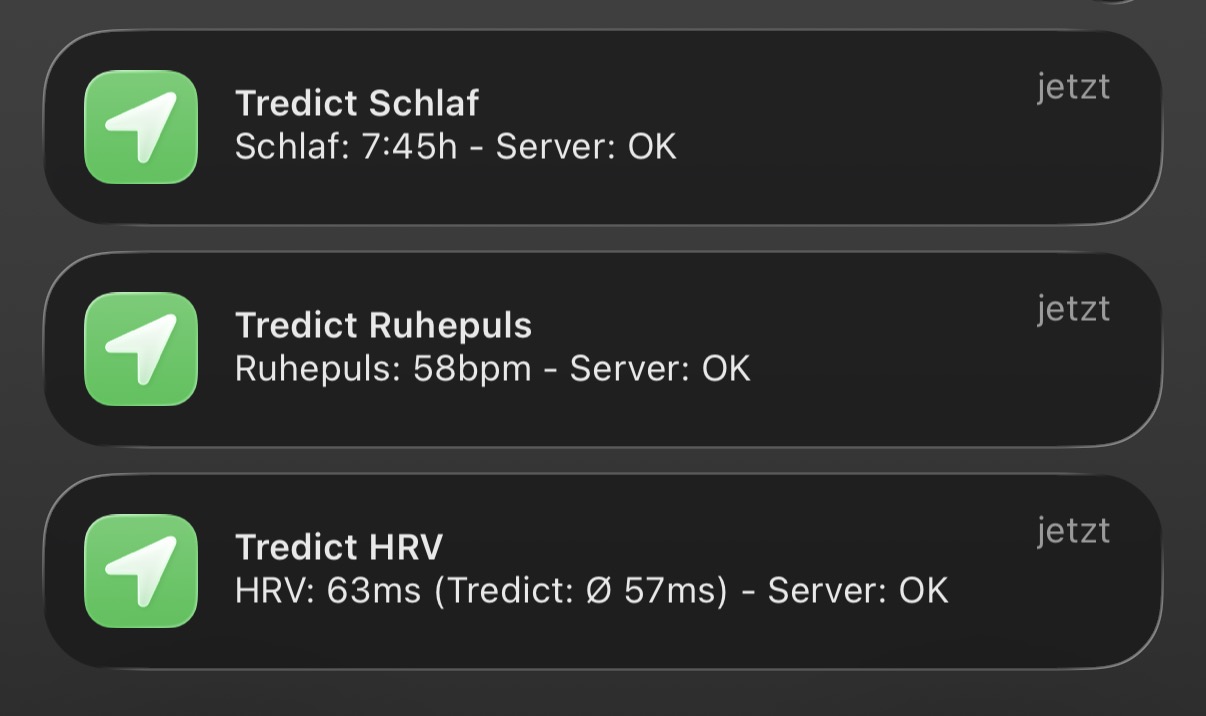
The feedback after running the three upload shortcuts.
If it has all worked, you will find the values in Tredict afterwards. HRV, resting heart rate and sleep duration show up on the corresponding training session, the resting heart rate also in your body data, and the HRV, charted over time, in the form analysis.
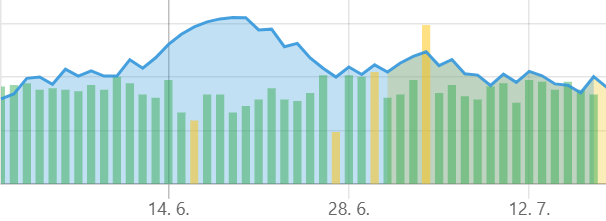
The HRV transferred from the Apple Watch, plotted over time in the Tredict form analysis.
A note on the timestamps
All of the shortcuts use a fixed dummy timestamp, so as not to make them even more complicated. It deliberately sits in the middle of the night so that it meets Tredict's requirements. The HRV has to fall before the start of an activity, for example, and the end of sleep does too. So do not be surprised if Tredict shows the time of measurement as 4 a.m. CEST.
There is one limitation, though. When you are abroad in a very different time zone, values can end up attributed to the wrong time. HRV and resting heart rate are always written with the same fixed timestamp, and that no longer matches the actual local time.
Have fun with them
A fine example of what the "Tredict Personal API" makes possible, and an even finer one of what happens when someone from the community shares their solution with everyone else. Thanks again, Maximillian!
If this has given you an appetite for building something with the Tredict APIs yourself, the FAQ on the Tredict Personal API will get you started, and the Tredict API documentation lists all the endpoints.