
With the Structured Workout Library, Tredict now offers a free collection of more than 500 ready-made running, cycling and swimming workouts, so you can easily find a good interval session and get it onto your watch. You browse them by sport and category, and every workout is yours to download as a FIT file, no account needed.
If you are signed in to Tredict, you can skip the download. You send a single workout or a whole week straight into your Tredict calendar, and from there on to your connected device, your Garmin, Zwift, COROS, Suunto, Rouvy and the other platforms Tredict syncs with.
What the library gives you
Every workout has its own page. At the top you see the duration, the estimated distance, the training effort, the level and the focus zone, and below that the whole session drawn out as a profile so you can read the shape of it at a glance. Under the profile sit the steps, each with its target.
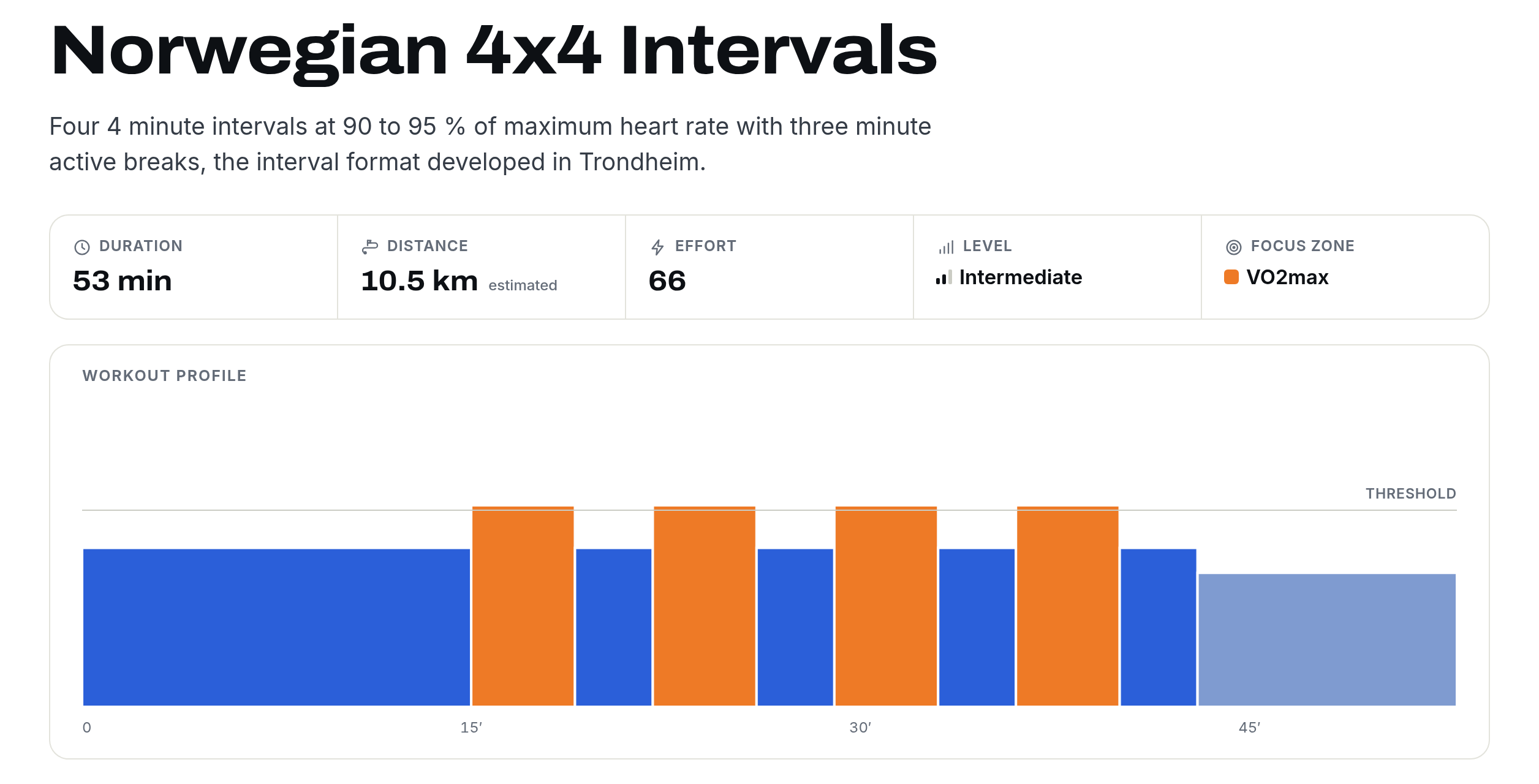
The Norwegian 4x4 Intervals page, 53 minutes with a VO2max focus and the four hard efforts drawn out in the profile.
The targets are relative to your own fitness. Pace comes from your threshold pace, power from your FTP and heart rate from your maximum heart rate. Enter those three values once under Your values on the library, stored only in your browser, and the pages show absolute numbers that also go into your FIT downloads.
Downloads come in three formats. FIT, the format Garmin created, works with watches and bike computers, many Garmin devices among them, and apps that read structured workouts. ZWO opens in Zwift, and JSON is Tredict's own format. An account only comes in when you want to skip the download and sync a plan straight to your devices.
A few sessions to start with
The library runs from easy aerobic work and long runs through tempo, threshold, VO2max and sprint work to fitness tests, across all three sports. A handful worth a look.
- Norwegian 4x4 Intervals, four 4 minute efforts at 90 to 95 % of your maximum heart rate with 3 minute jogs, the format worked out in Trondheim.
- Billat 30-30 Intervals, the classic short on, short off session that holds you at VO2max without blowing up.
- Running Drills and Strides, a short technique and efficiency session for smoother, quicker turnover.
- Cooper Test 12 min Run, a simple field test you can repeat through the year to track your form.
- Sweet Spot 3 x 15 min, power based work in ERG mode for a strong threshold without the cost of all out intervals.
- Ramp Test for FTP, the standard ramp to set the FTP that the power workouts build on.
- CSS Test with 400 m and 200 m Time Trials, the pool test that fixes your critical swim speed for every swim target.
For more of the same, the full VO2max and running test categories and the cycling sweet spot sessions are good places to carry on.
Build a plan and apply it in Tredict
You can also put several workouts together into a week rather than downloading one at a time. On any card or workout page there is Add to plan, and the counter next to Plan in the header keeps track of what you have collected. Pick a couple of rides, a few runs, whatever your week needs.
Open Your plan and you arrange it. Give the plan a title, then set a day for each workout in the list, or switch to the week grid and drag each session onto its day.
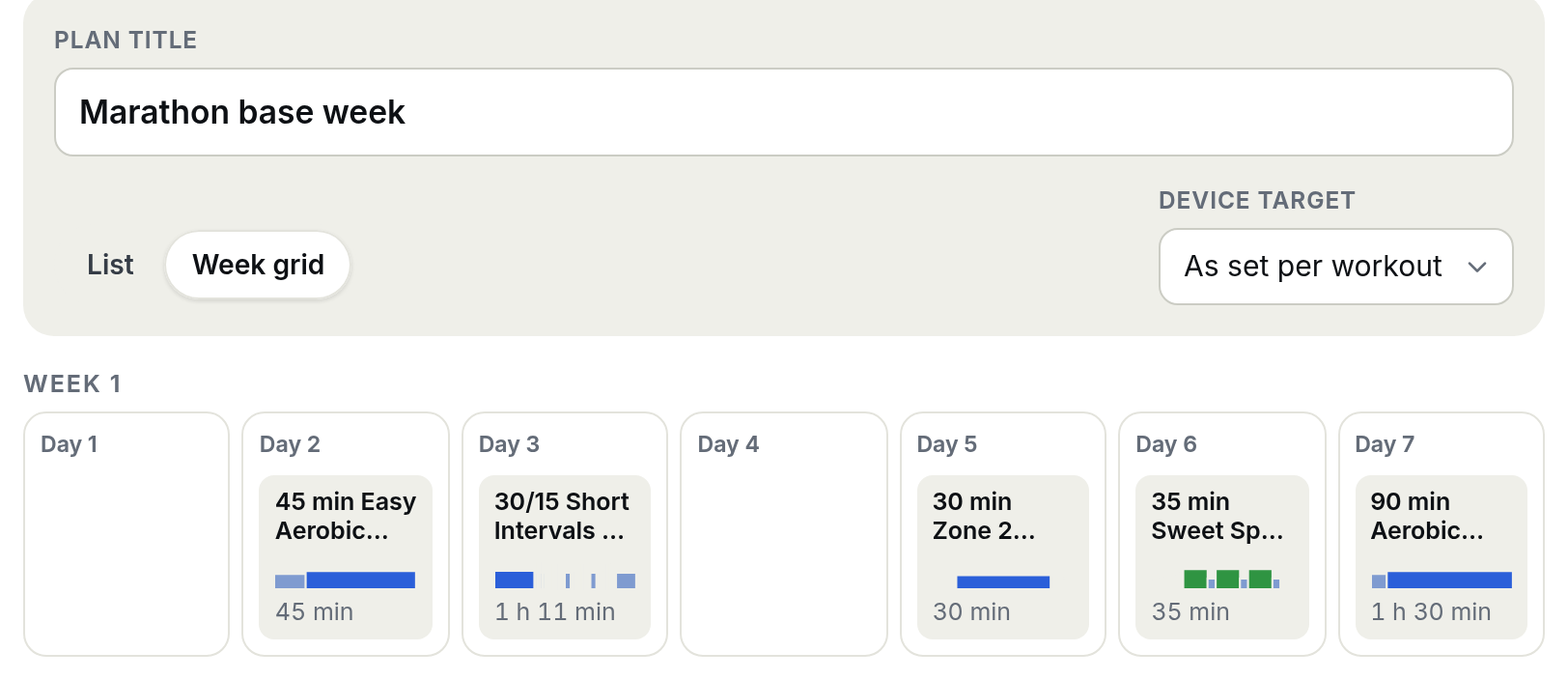
In the week grid you drop each workout onto its day, here an easy run on day 2, intervals on day 3, two rides and a long run across the week.
When the week looks right, open Send to my devices. You can download the whole plan as a ZIP of files, or press Open in Tredict to carry the plan over in one step.
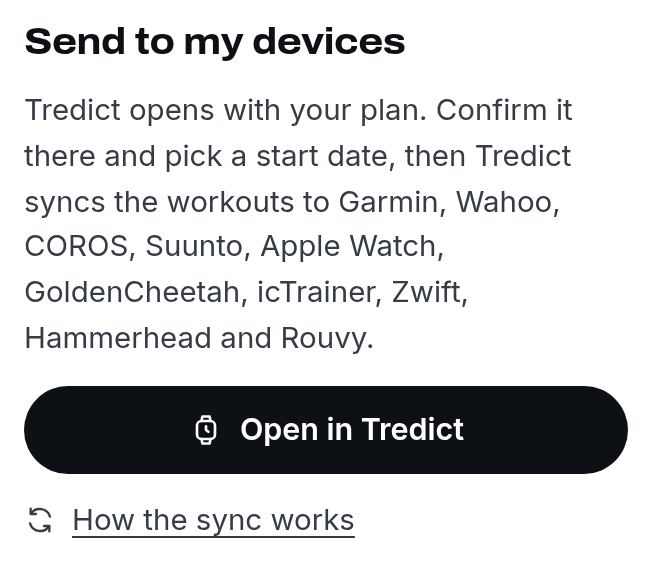
Send to my devices gives you the downloads and the Open in Tredict button that carries the whole plan over.
Open in Tredict creates the plan in your Tredict account and takes you to the page where you apply it. You choose a start date, Tredict works out the rest of the week from there, and Apply plan in my calendar fills your calendar.
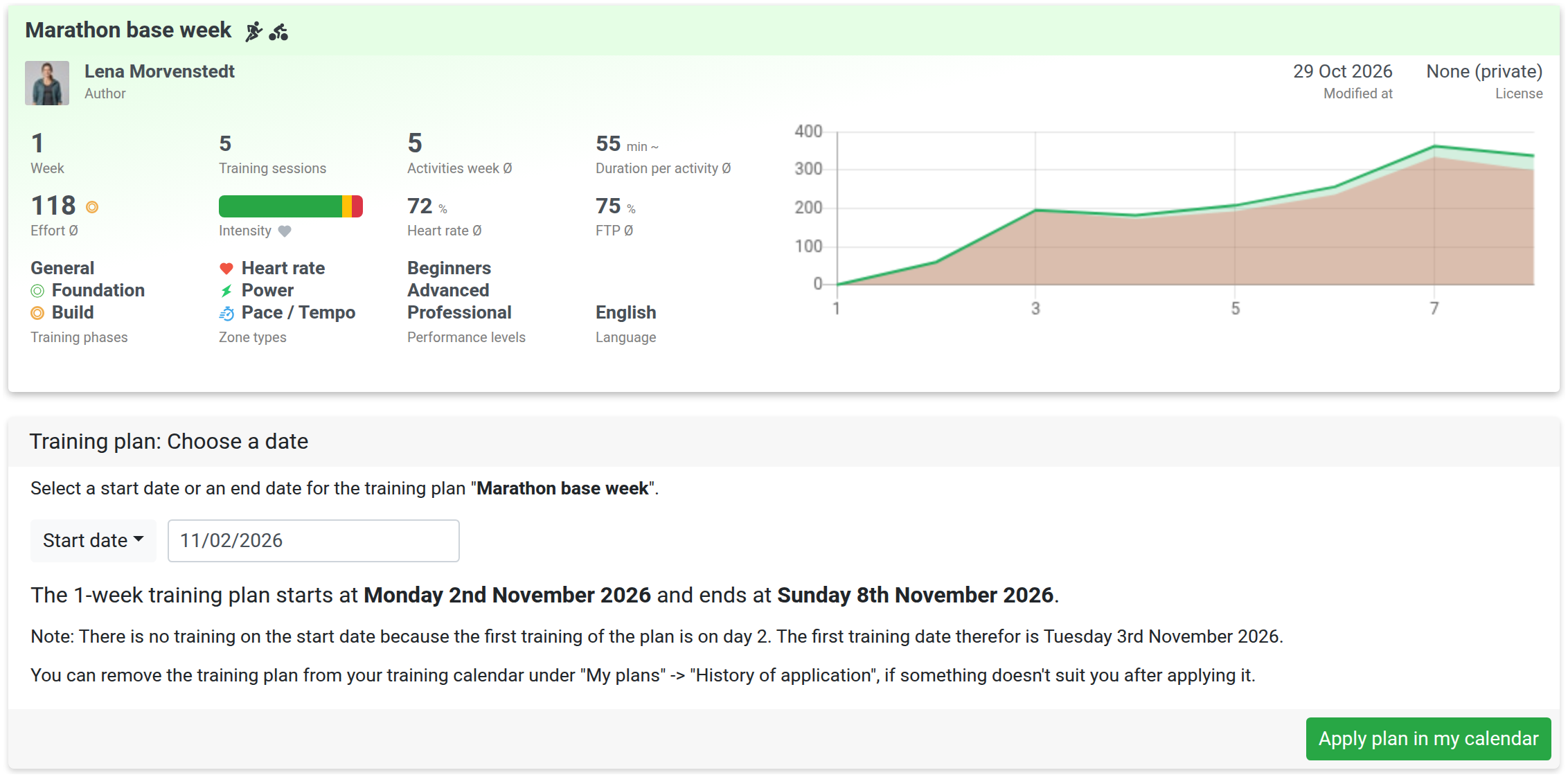
In Tredict the plan arrives ready to apply. You pick a start date and Tredict lays the week out for you.
Now the week sits in your calendar on the days you chose, alongside everything else you have planned. From there Tredict syncs it to your watch or bike computer.
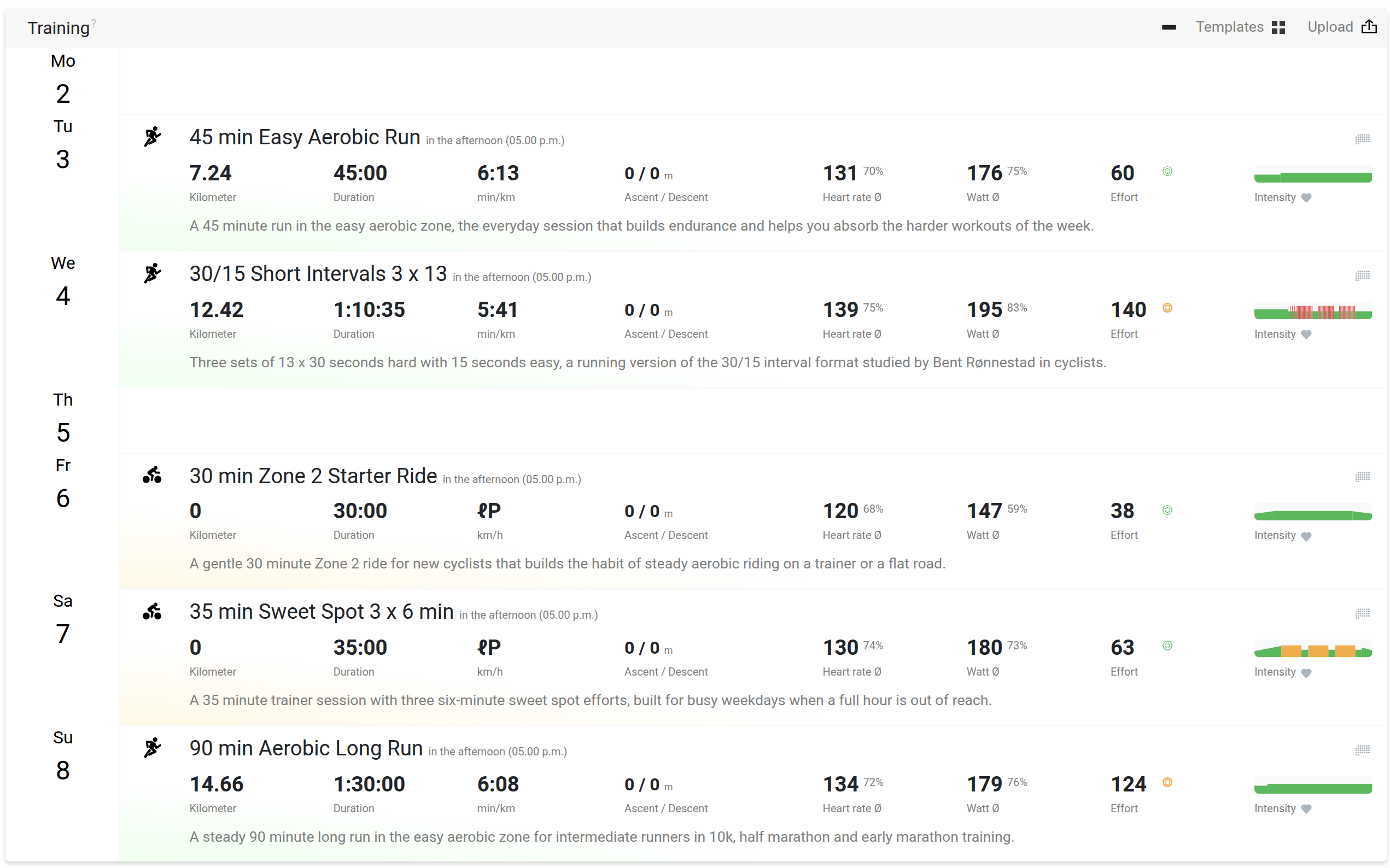
After you apply the plan the five sessions sit in your Tredict calendar on the days you chose, with the numbers worked out from your own settings.
Send a single workout and keep it as a template
You do not need a whole plan. On a workout page, Open in Tredict opens that single session in the Tredict editor with every segment and target in place.
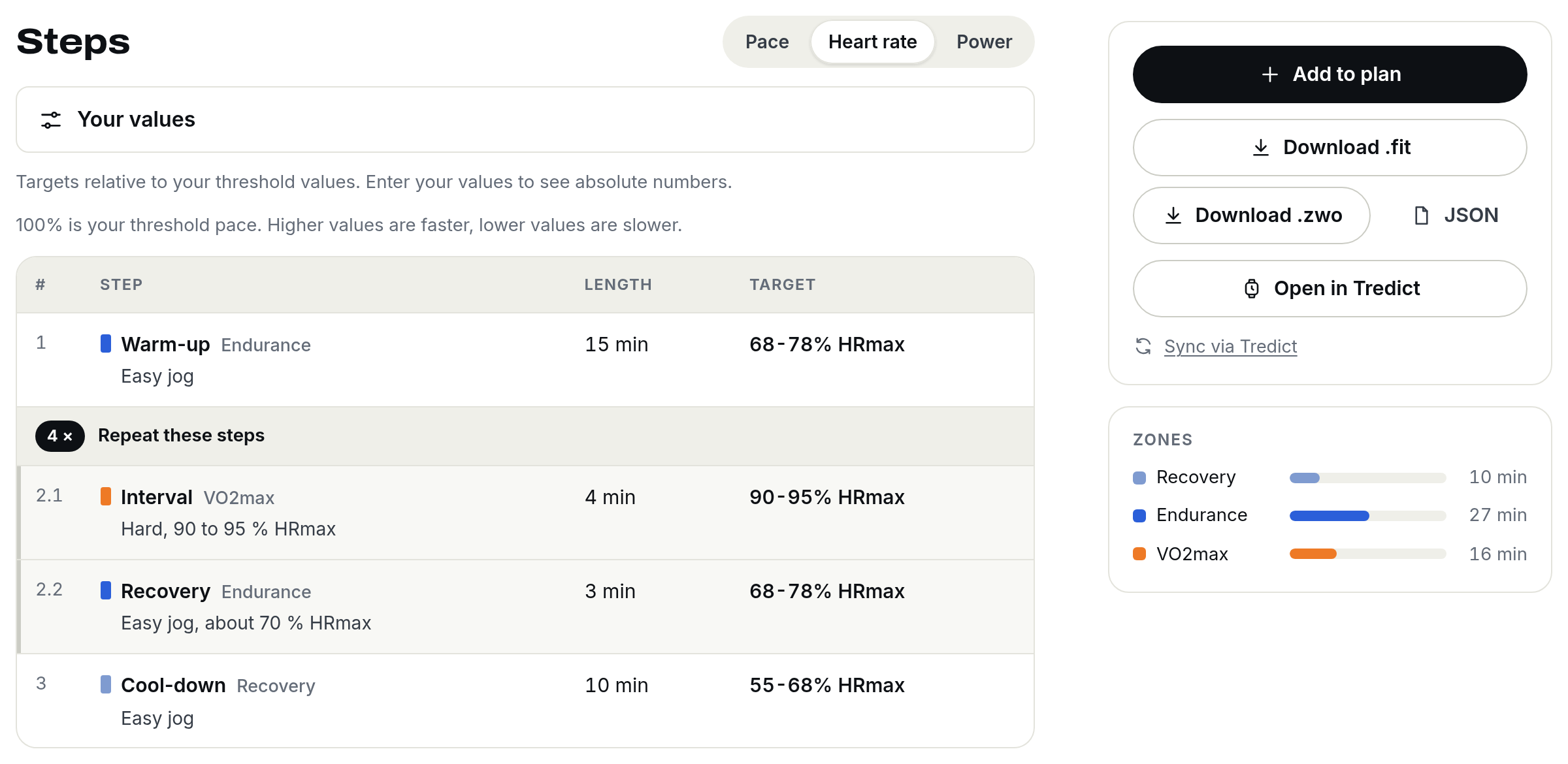
Every step carries a target relative to your own values, here the heart rate targets of a VO2max session, with Open in Tredict beside them.
Pick a date, press Create workout, and it is in your calendar. Save it as a template and it appears in your Tredict template list, ready to drag onto other days later.
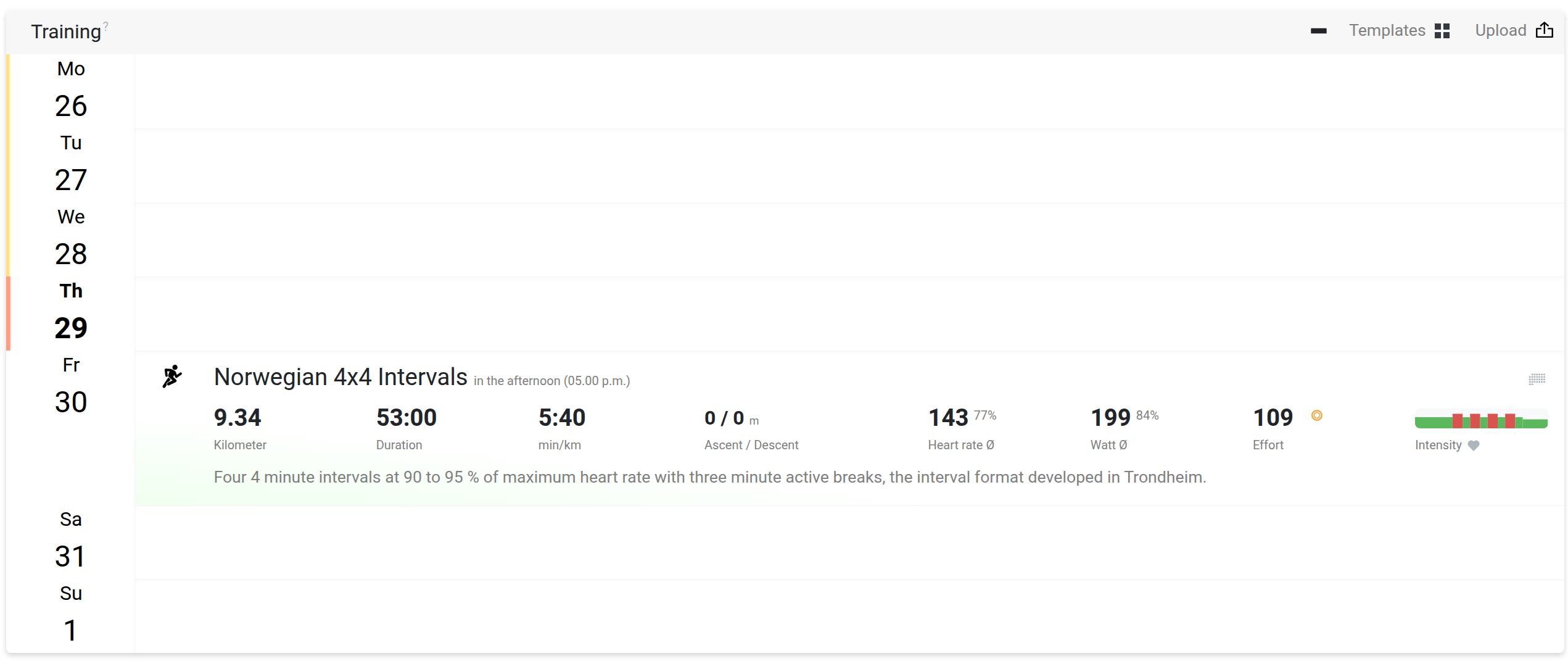
A single workout is added to your Tredict calendar on the day you picked.
Relative targets become your own numbers
A workout on the library reads as a share of your fitness, 90 to 95 % of maximum heart rate, a percentage of FTP or of threshold pace. The moment it opens in Tredict, those shares become real targets from your profile, in bpm, in min/km and in watts.
So two athletes run the same session and each gets their own numbers.
Reach the library from inside Tredict
When you create a planned training in Tredict, a Structured Workout Library button sits in the top right of the editor, next to the upload, and the My Training Plans view and the templates card link to it too. So a ready-made session is one click away while you plan.
Try it
The Structured Workout Library is free and open now. Browse a category, download a FIT file, or send a whole week to your calendar and on to your watch. If there is a session or a format you would like to see, let us know.