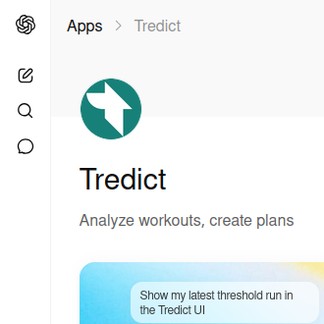
So now you know how to connect the Tredict MCP Server in an emergency. :-)
A request to everyone who connected the custom Tredict MCP connector to ChatGPT as a fallback. Please use the official Tredict ChatGPT Plugin again and disable the connection to the custom connector, for the simple reason that this way ChatGPT can rank the plugin better in the directory and it stays visible to everyone. Thank you very much!
Many thanks as well to everyone who spoke up in the ChatGPT community forum.
On 16 November 2026, OpenAI initially restored the plugin in an outdated version. Since 20 November 2026, the Tredict ChatGPT Plugin has been available again with its full range of features, just as you are used to. Analyse your activities with ChatGPT, e.g. from your Garmin, Suunto or Polar, create complete training plans for Zwift or individual workouts directly in the calendar for your Apple Watch. With the current version, strength training sessions work again too, and they are transferred to your watch if you have a Garmin or Suunto connected.
This is the current list of tools in the ChatGPT plugin with a short description:
- activity: Details and time series of a single completed activity. Strength training sessions including sets with exercise, repetitions and weight.
- activity-list: List of completed activities with summaries, optionally with extended values and a date range filter.
- activity-update: Changes the title or notes of an activity or a planned training session.
- activity-upload-ui: Uploads training files (FIT, TCX, Polar JSON) via an upload interface.
- add-plan-training: Adds a structured workout to a training plan, and with confirmation also directly to the calendar. Supports strength training with exercise, sets, repetitions and weight.
- bodyvalues: Body values such as weight and resting heart rate as a time series, filterable by date range.
- calendar-change-ui: Asks for confirmation in an interface before calendar changes (adding and deleting training sessions).
- capacity: Capacity values per sport type (maximum heart rate, lactate threshold heart rate, FTP, FTPa).
- delete-calendar-training: Deletes a confirmed training session from the calendar.
- equipment-list: List of equipment (bikes, shoes and more) with usage statistics.
- exercise-list: Catalogue of valid exercise names for structured strength training.
- hrv-list: HRV values (RMSSD per night) with a reference value (42-day average).
- plan-creation: Creates reusable training plans, such as weeks or blocks. When the plan is applied, it is transferred to the connected sports watch.
- planned-workout: Details and structure of a planned workout in JSON format.
- planned-workout-change-date: Moves a planned workout to a new date.
- planned-workout-list: List of planned training sessions, filterable by date range and sport type.
- show-activity-ui: Shows an activity with metrics, time series, laps, strength training sets and a map.
- show-form-ui: Shows the form curve (fitness, fatigue, performance) and the intensity distribution of a week or month.
- show-plan-ui: Shows a created training plan in an interface.
- sleep-list: Sleep values per night with a reference value (42-day average).
- training-effort-list: Training effort per day, including planned workouts.
- zones: Zone definitions per sport type and zone type.
- zones-distribution: Monthly distribution of time in the training zones per sport type.
Tredict will be adding a few more new tools in the run-up to Christmas! Expect a few surprises!
What happened?
- 14 November 2026: OpenAI removed the Tredict ChatGPT Plugin from the ChatGPT plugin directory without prior notice. The justification was that the plugin fell under the US policy on "healthcare workflows" and "protected health information (PHI)". Tredict does not process health data of this kind, but fitness and sports data.
- 14 November 2026: Tredict informed all affected users by email, on the blog and in the app, and described the fully functional fallback via its own Tredict MCP Server.
- 14 November 2026, 19:01 CET: OpenAI acknowledged by email that the plugin had been removed by mistake and announced that it would be restored. Tredict did not need to take any action or submit a new version.
- 16 November 2026: OpenAI restored the plugin in an outdated version. Strength training, calendar editing, the form curve and file upload were missing. Tredict reported the error on the same day.
- 20 November 2026, 20:09 CET: OpenAI restored the complete version (version 1.0.2, tool list from 18 October 2026). All tools are back, including strength training and the interactive Tredict form curve!
OpenAI acknowledged the error on the first day and fully fixed it on 20 November 2026.
What has Tredict learnt from this?
A status page that Google knows about
Within a few hours, Tredict sent an email to all affected users and, in the app, linked to a blog article set up specifically for this. The article described the situation and showed how to set up the custom MCP connector in order to carry on working. What was missing, however, was a status page that Google knows about. We have now set one up, and we can also use it to communicate incidents.
Visit the Tredict status page: https://status.tredict.com/
Many plugin users no longer open the Tredict App at all
The particular problem was this: many users now work only in the Tredict ChatGPT Plugin and no longer open the Tredict App at all. For them, only the email remained, and for some it was filtered as spam or not recognised as a status email. So: Google needs to know about the status page.
Communicating the alternative connection method more prominently
The alternative way of connecting Tredict and ChatGPT, the custom MCP connector, needs to be communicated more prominently again, so that here too Google can suggest a solution directly. From an organisational point of view, the Tredict ChatGPT Plugin is not reliable in the long term as the only way to connect.
Here is the description of the alternative connection method:
Connect ChatGPT to the Tredict MCP Server
OpenAI also caused some confusion here, because custom MCP connectors can only be set up via the ChatGPT web interface, but can then still be used in the mobile app.