The new Watchletic integration lets you get even more out of your Apple Watch for endurance sports with Tredict. Planned structured workouts from Tredict are sent to your Apple Watch via Watchletic, and completed activities are synced back to Tredict afterwards.
This closes an important loop. You can analyse your training history in Tredict and create new workouts or entire training plans from it, whether manually, through a coach, or with AI assistance. You then execute them directly on the Apple Watch. Creating workouts is particularly easy with the Tredict ChatGPT App, an official ChatGPT integration for Tredict that also works with a free ChatGPT account.
Execute structured workouts on the Apple Watch with Watchletic
Watchletic turns the Apple Watch into a capable training watch for structured workouts. The app supports running, cycling, swimming and other endurance sports and can execute planned structured sessions directly on the watch. Together with Tredict, Watchletic fetches your planned Tredict workouts and transfers them to the Apple Watch. After the training session, Watchletic syncs the recorded activity back to Tredict.
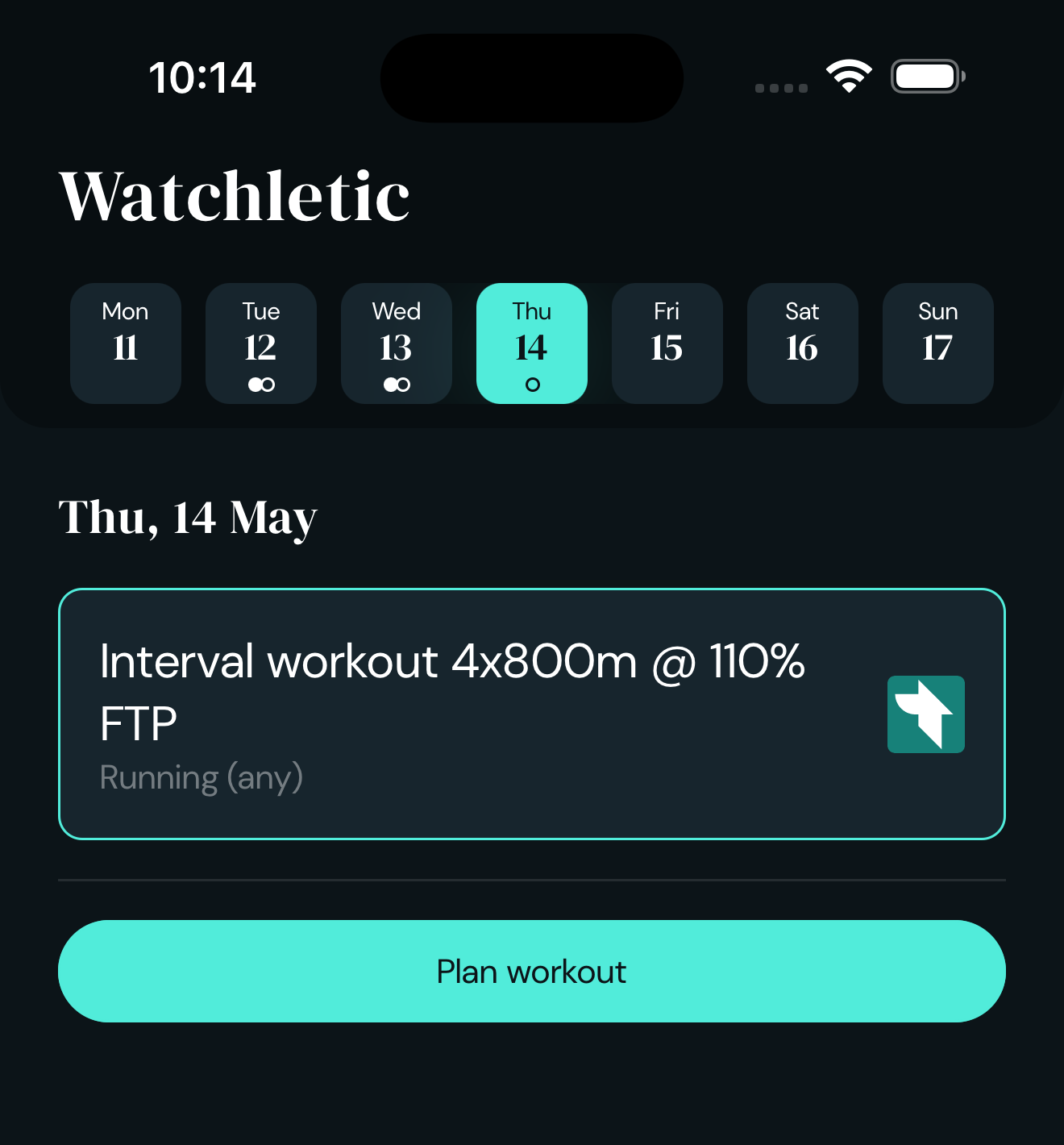
An interval workout synced from Tredict, shown in the Watchletic iPhone app.
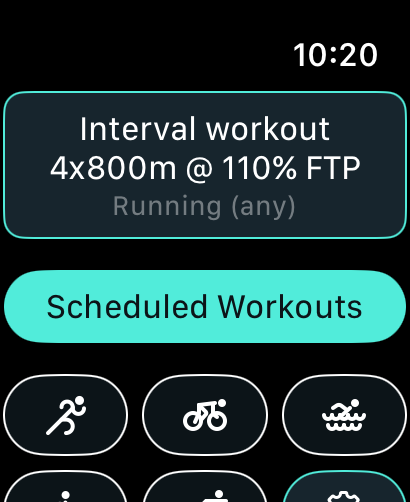
The same workout on the Apple Watch, ready to go.
The Tredict FAQ explains step by step how to connect Apple Watch, Watchletic and Tredict.
This is especially useful if you already plan in Tredict or work with a coach. The planned structured workout lands on your Apple Watch, you execute it there, and the recorded session is then available in Tredict for analysis.
Create Apple Watch workouts with ChatGPT
With the official Tredict ChatGPT App you can have your Tredict training data analysed in ChatGPT and create new structured workouts for the Apple Watch through Watchletic. This works with a free ChatGPT account too, making it a straightforward entry point into AI-assisted training planning.
You could, for example, ask ChatGPT to analyse your last run and create a heart-rate-based interval workout from it. ChatGPT then creates the structured workout in Tredict. Thanks to the Watchletic integration, this workout becomes executable on the Apple Watch without any manual transfer.
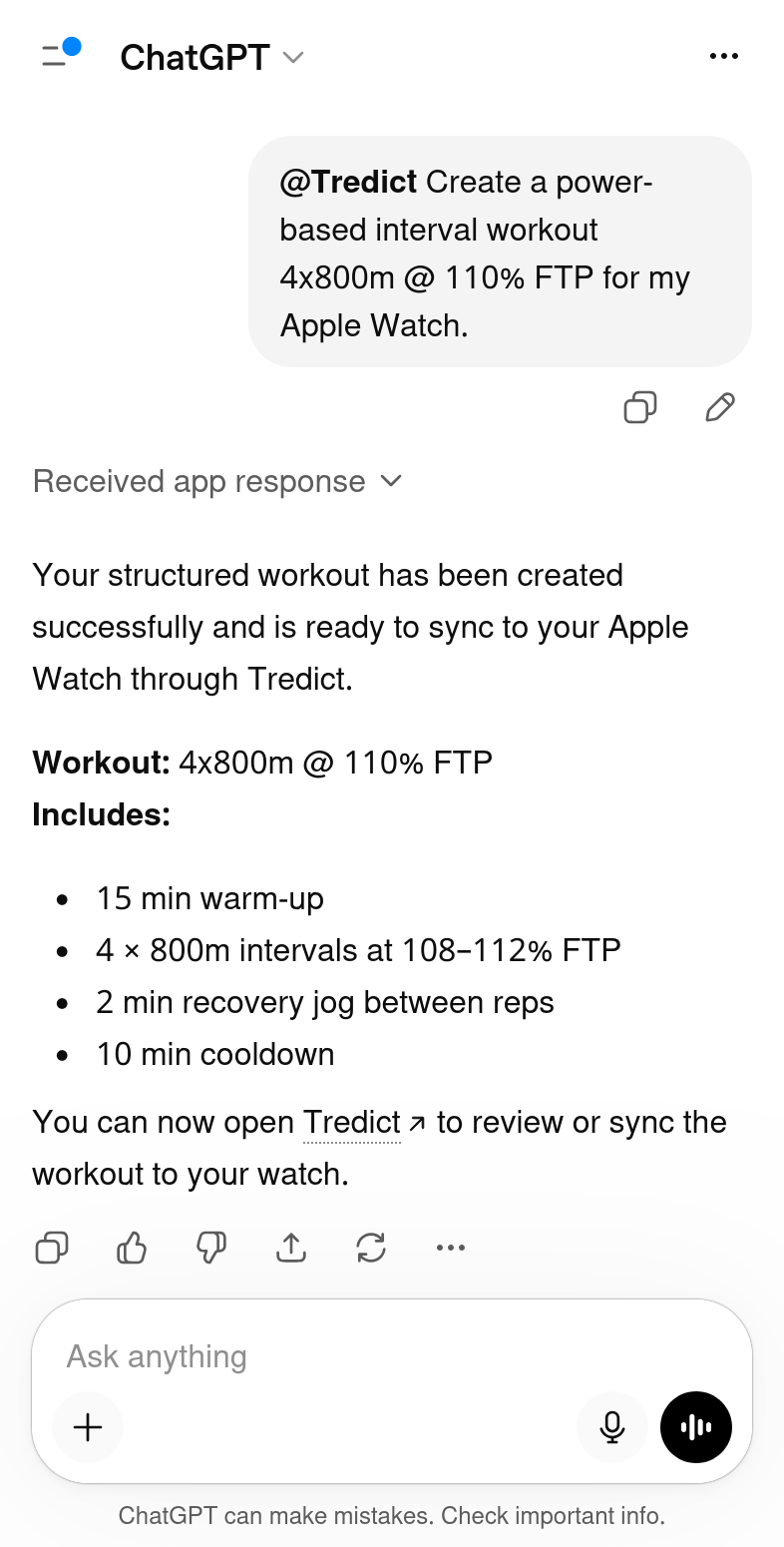
ChatGPT creating a power-based 4x800m interval workout for the Apple Watch.
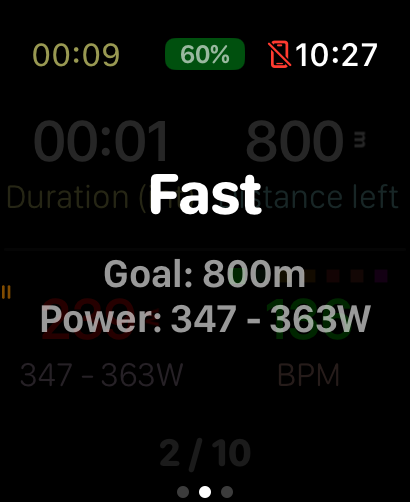
The interval workout being executed on the Apple Watch.
The key point is the connection between your training history and your training planning. The AI does not have to plan in a vacuum; instead, it can draw on your past training sessions, workload and intensities. This results in Apple Watch workouts that are that match your current fitness level more closely.
Import your existing Apple Watch history with RunGap
Watchletic is the right tool for the ongoing exchange between Apple Watch and Tredict. For a one-off import of your existing Apple Watch training history, however, RunGap is the way to go, as Watchletic does not retroactively transfer older activities.
RunGap can transfer workouts from Apple Health or the Apple Watch to Tredict. This gives you your older training history in Tredict, where you can use it for analysis, fitness curves, capacity values and subsequent AI evaluations.
You will not need RunGap for new activities after that. Watchletic takes care of the ongoing synchronisation in both directions. Planned workouts go from Tredict to the Apple Watch, and completed endurance sport activities come back to Tredict.
Full AI training plans with the Tredict MCP Server
The Tredict ChatGPT App is the easy starting point. If you want to tackle more complex tasks, such as complete training plans spanning several weeks, the Tredict MCP Server offers even more possibilities.
With the Tredict MCP Server, AI assistants like Claude, ChatGPT, Perplexity or Gemini CLI can work with Tredict. They can analyse your training history, create structured workouts and build complex reusable training plans in Tredict. Through Watchletic, these plans now become practically executable on the Apple Watch as well.
If you would like to use Claude, the FAQ contains a guide on how to connect Claude Web with Tredict. With this setup, Claude can, for example, analyse a completed interval session and create a new structured workout within a reusable training plan.
Coaches benefit from the Apple Watch integration too
For coaches, the Watchletic integration opens up new possibilities. If you manage athletes through Tredict, you can now meaningfully include athletes who train exclusively with the Apple Watch. Until now, it was difficult to deliver structured workouts to their watch for execution. With Watchletic, planned workouts from Tredict become executable on the Apple Watch.
This puts Tredict on a par with TrainingPeaks, which was previously one of the few coaching platforms offering Apple Watch support for planned training sessions. For coaches looking for a natively GDPR-compliant alternative, or who already work with Tredict, this closes an important gap in the workflow.
Reusable training plans that you create in Tredict and apply to your athletes can be synced to the Apple Watch via Watchletic. The athletes execute the sessions there, and the training data comes back to Tredict. This keeps the training process neatly closed, even when no dedicated sports watch from Garmin, Coros, Suunto or Wahoo is being used.
This also applies to AI-assisted workflows. You can have an AI assistant create structured workouts or entire plan templates, review them from a coaching perspective, and then use them in Tredict for your athletes. The AI does not replace your experience as a coach, but it can significantly speed up the creation of reusable workouts.
Manual planning still matters
AI can take a lot of work off your hands, but it still helps to understand how structured training sessions are built in Tredict. The article "Plan and create a training" shows how to create a session in the calendar, structure segments such as warm-up, intervals, recovery phases and cool-down, and visualise the workload in the fitness projection.
This understanding remains valuable even when you work with ChatGPT, Claude or Perplexity. The better you understand how a good workout is structured, the better you can write prompts and evaluate AI-generated suggestions.
A sensible workflow might therefore look like this. You start by importing your Apple Watch history into Tredict with RunGap. Then you use Watchletic for ongoing synchronisation. In Tredict you analyse your progress, plan new workouts manually or with AI assistance, and execute them on the Apple Watch.
Use Stryd directly with Watchletic
Watchletic also works directly with a Stryd foot pod. This means you do not need to use the Stryd app separately for many workflows.
The Stryd data is recorded by Watchletic and passed on to Tredict through the regular Watchletic-Tredict synchronisation. This way, power data and additional running metrics end up in Tredict, where you can analyse them alongside your other training data.
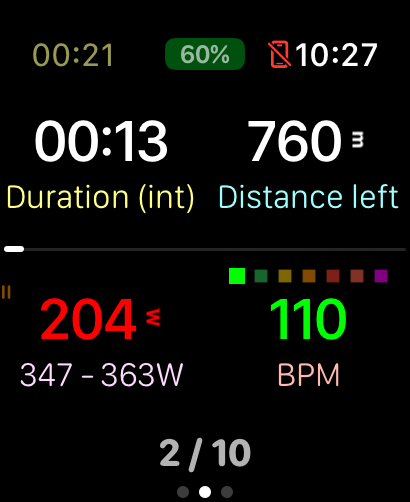
Stryd power data on the Apple Watch during an interval workout in Watchletic.
For runners who train with running power, this is particularly interesting. You can run with Stryd on the Apple Watch, have the session synced back to Tredict via Watchletic, and then analyse it in Tredict or use it for your next round of training planning.
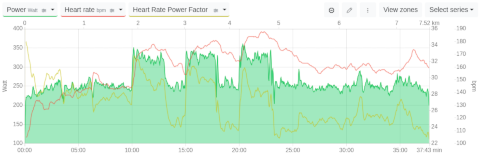
Stryd power data from an Apple Watch workout, synced via Watchletic and analysed in Tredict.
A seamless training loop
With Watchletic and Tredict, you get a seamless training loop. AI assistants like ChatGPT, Claude, Gemini CLI and Perplexity work with Tredict, Watchletic syncs between Tredict and the Apple Watch, and completed Apple Watch workouts flow back into Tredict.
For you, this means a closed training process. Your history lives in Tredict, your workouts are created manually or with AI assistance, your Apple Watch executes them, and the results are then available again for analysis and further planning.
The easiest way to get started is to set up the Watchletic connection to Tredict. This gives you the Apple Watch integration straight away. If you then want to try AI assistance, the Tredict ChatGPT App with a free ChatGPT account is the lowest-barrier option. For more extensive training planning with Claude, Perplexity or other AI assistants, the Tredict MCP Server is worth a look after that.