Apple Watch with Watchletic - Connect and synchronise
FAQ
-
Devices and Connections
- Which recording devices and services are supported?
- Export a planned workout to my Garmin device
- What is the difference between an automatically uploaded scheduled workout and a workout FIT file?
- Apple Watch with Watchletic - Connect and synchronise
- Garmin Connect - How to connect and synchronize my device?
- Suunto - How to connect and synchronize my watch?
- Polar Flow - How to connect and synchronize my watch?
- Coros - How to connect and synchronize my watch?
- Wahoo - Connect and synchronize
- Hammerhead - Connect and synchronize
- icTrainer - Using the Tredict training plan with the roller trainer
- Concept2 - Connect and synchronise
- Oura Ring - Connect and synchronise
- Dropbox - Automatically sync training files with and from Tredict
- Zwift - Automatically synchronise planned and completed workouts
- Personal API - Connect your own scripts or personal applications
- Tredict API - Connect your platform or application
- Model Context Protocol and AI integration
- App, Browser and Platforms
- General
-
Training
- How to unlink a pre-planned workout?
- How to fix corrupt workout data?
- Correct a faulty recorded swim stroke
- Can I change the date and time of my workout?
- Can the laps of an activity be calculated manually?
- Can I display a run without the walking breaks?
- Why is the date of my virtual training in a different time zone?
- Series chart for distance intervals without pace
- Supported sports
- Calendar and Training Overview
- Coaching and Athlete Connection
- Training plans
- Evaluation
- Zones
With Watchletic, your Apple Watch becomes a proper training watch for Tredict. Execute structured workouts, record training sessions, automatically sync and optionally even use Stryd data without the Stryd app.
Step 1: Connect Tredict in Watchletic
Open the Watchletic app on your iPhone and go to "Integrations".
Scroll to "Tredict" and tap "Connect".
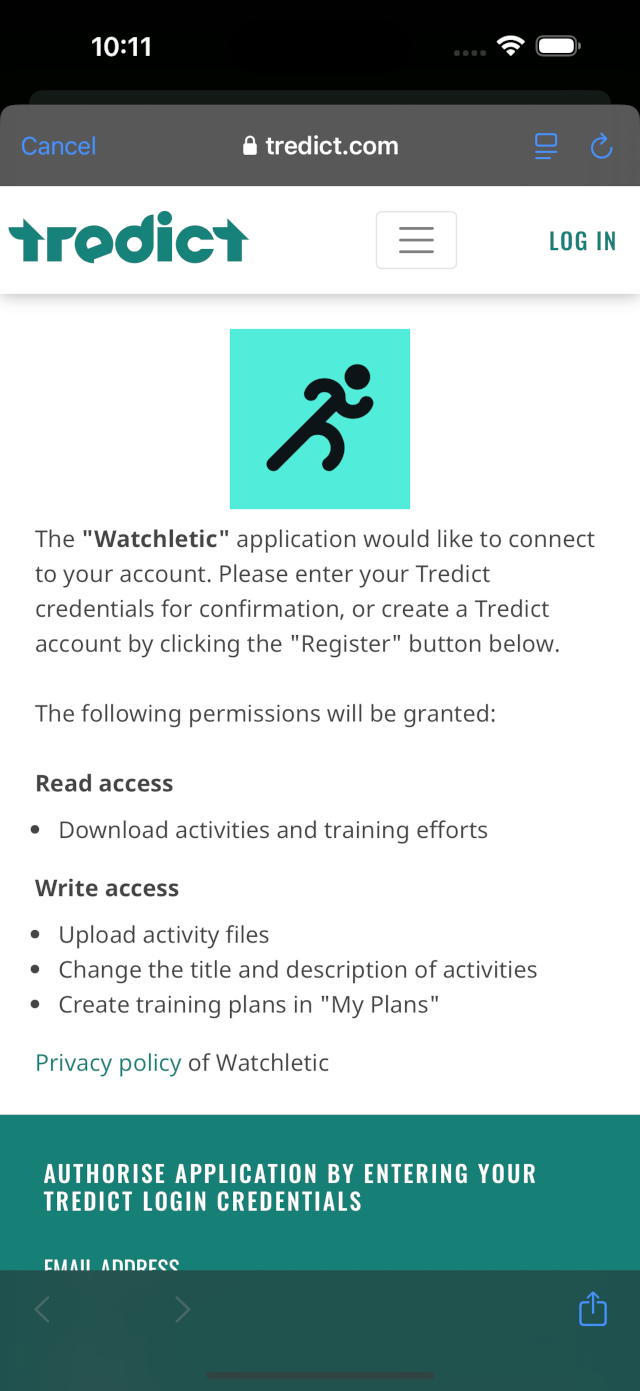
You will be redirected to the Tredict authorisation page. Enter your Tredict credentials there to establish the connection.
Watchletic requests the following permissions:
- Read access: Download activities and training efforts
- Write access: Upload activities, change titles and descriptions
- Training plans: Create training plans in "My Plans"
Step 2: Import workouts and execute on your Apple Watch
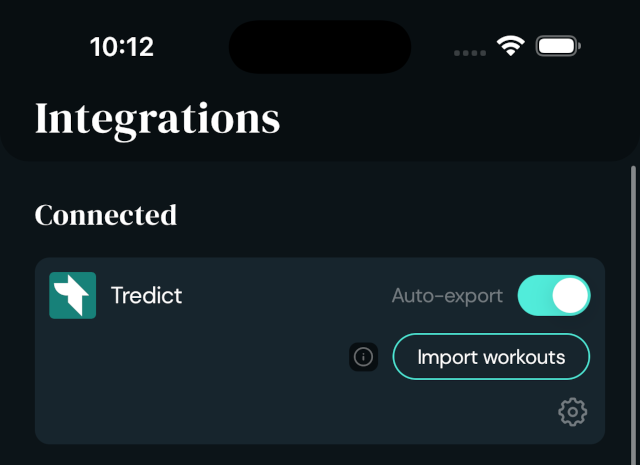
Once connected, Watchletic automatically fetches your planned Tredict workouts every 8 hours.
To manually load workouts, tap "Import workouts" in the Tredict integration.
With the "Auto-export" toggle enabled, recorded workouts are automatically synced back to Tredict.
You can execute the structured workouts directly through the Watchletic app on your Apple Watch or through the native Apple Workout app.
After the workout, Watchletic syncs the recorded activity back to Tredict.
Import training history with RunGap
Watchletic does not offer an import of your existing Apple Watch training history.
For this, you can use RunGap, which is also supported by Tredict.
RunGap exports your Apple Watch workouts from Apple Health and uploads them to Tredict.
This gives you access to your complete training history for in-depth analysis in Tredict.
Use Stryd without the Stryd app
Watchletic can be paired directly with your Stryd footpod. You no longer need the Stryd app.
Connect your Stryd in Watchletic under "Settings > Bluetooth > Running" on your Apple Watch.
Watchletic reads running power, pace, vertical oscillation, ground contact time, stride length and distance from the Stryd and writes the data to Apple Health.
Additional metrics such as Form Power, Leg Spring Stiffness and Air Power are stored in the exported FIT file and are available for analysis in Tredict.
This is another way to automatically sync Stryd runs to Tredict.
AI training plans for the Apple Watch
By connecting the "Tredict MCP Server" with an AI assistant of your choice, e.g. Claude.ai, ChatGPT or Perplexity.ai, you can use AI to analyse your training history and create complex, structured, AI-generated training plans.
The AI-generated training plans are then available for execution directly on your Apple Watch via Watchletic.
Alternatively, you can also create your structured workouts and training plans for the Apple Watch with the official Tredict ChatGPT App, which works with a free ChatGPT account: Tredict ChatGPT App