Whether you have just come back from a run, are planning your next training week from the sofa or analysing your last interval session at your desk, Tredict is exactly where you are. And in quite a few ways, too.
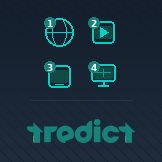
I will show you four of them today. Just pick the one that suits you best. Or use all of them. Whatever you fancy.
1. Browser
The independent all-rounder.
Tredict runs as a web app in any modern browser. Chrome, Firefox, Safari, Edge, Vivaldi, it really does not matter. Linux, Mac, Windows or even BeOS. You go to tredict.com, log in and off you go. No download, no installation, no app store. And the best part is that you always have the latest version automatically, without having to worry about updates.
On a desktop, I particularly love the large screen. Training planning, fitness trend, analysis, it is all simply more enjoyable on a big monitor. And if you want to quickly show a training partner your last session, just send them the link, which you can easily copy from the browser address bar.
Or maybe you want to compare sessions, even across athletes, just open 5 tabs side by side. Desktop computers make that possible. :-)
You can find out more in the FAQ article: Use Tredict as a web app in your browser.
2. Android - Google Play Store
Checking your training on the go, quickly planning a session or reading a message from your coach, the Android app is perfect for that. It is not really any different from the Tredict web app, the features are the same, but the display on a mobile device is naturally a little different.
You can find Tredict officially in the Google Play Store. Once installed, Tredict sits right on your home screen, without the browser address bar and without you having to log in again all the time.
This way: Install Tredict on Android.
3. iPhone and iPad
If you have an iPhone or iPad, Tredict works brilliantly there too -- and entirely without the App Store. Tredict is an installable web app (PWA), which means you simply save it to your home screen from Safari.
The advantage: you stay logged in, the browser bar disappears and Tredict behaves like any other app on your device. The only thing to bear in mind is that you need to use Safari for this -- unfortunately it will not work with Chrome or Firefox on iOS.
How exactly does it work? Read about it here: Install Tredict on iPhone or iPad.
4. Windows - Microsoft Store
On a Windows PC, you do not have to stay in the browser if you do not want to. Tredict is available as an app in the Microsoft Store, in its own window, accessible directly from the Start menu or the taskbar.
This is particularly handy if you use Tredict regularly on your computer and do not want it to get lost among all your browser tabs. Once installed, it is just there.
Here is how: Install Tredict on Windows.
Works
Four ways, one account, all data, all features. Whether you are an athlete or a coach, your training, your athletes' fitness trends, the training plans, everything is always there, no matter where or how you access it.