Artificial Intelligence and MCP
Artificial Intelligence and MCP
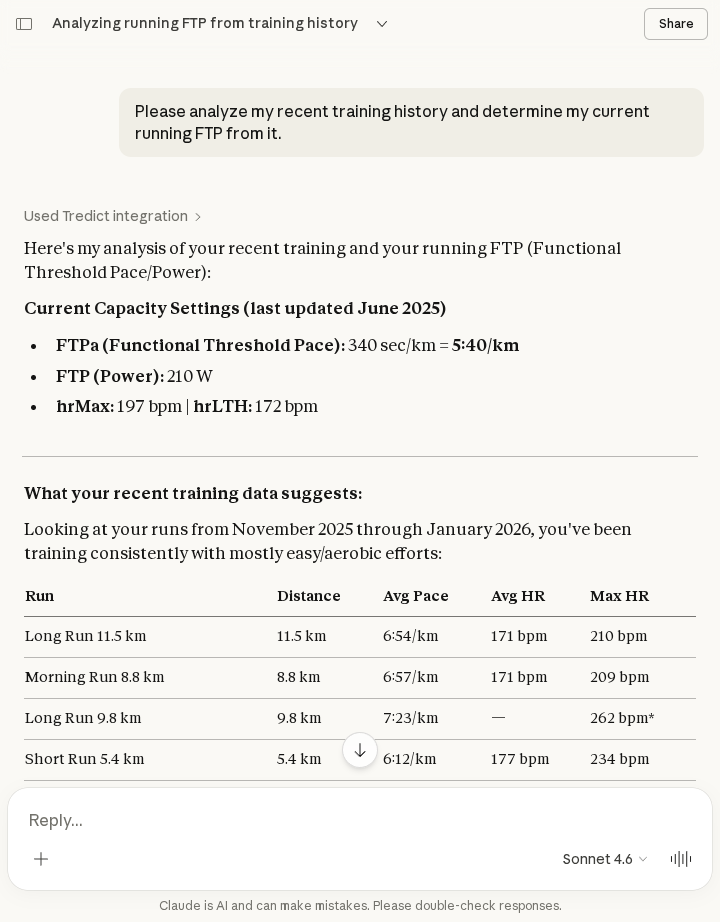
Tredict provides a standardised MCP interface, the Tredict MCP Server, which you can use to integrate Tredict into the AI environment of your choice. An LLM (Large Language Model) can work with your training data and, for example, perform training analyses, tell exciting stories about your training history, create structured workouts directly in Tredict, determine capacity values such as FTP, and even create entire training plans. The resulting possibilities for integrating the Tredict MCP Server into an AI environment are manifold!
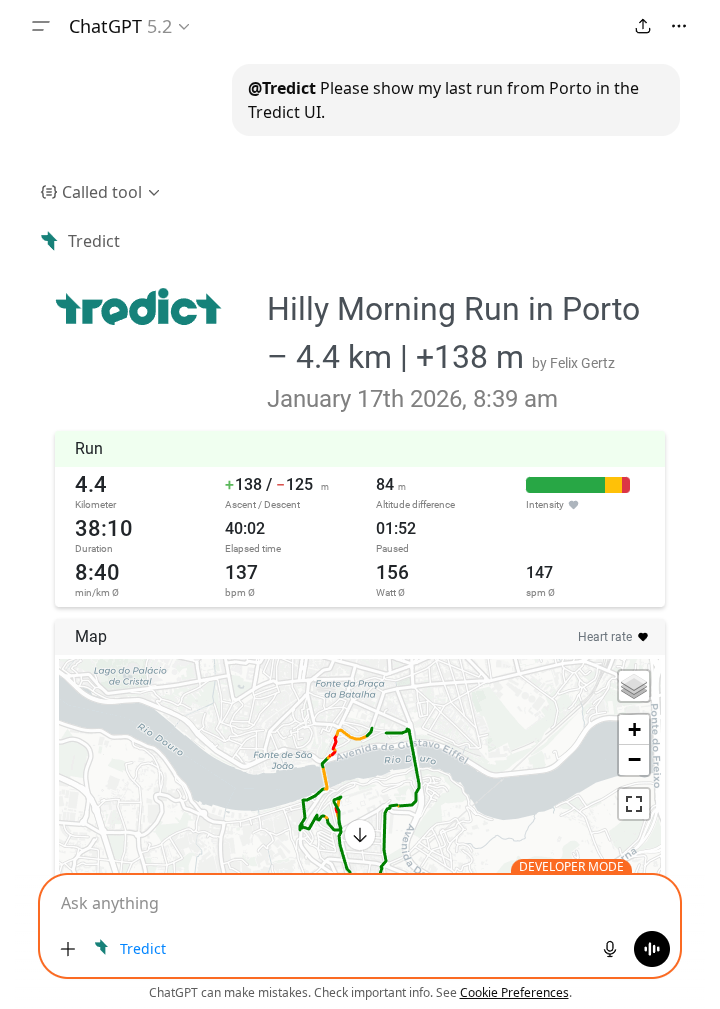
The Tredict MCP Server also delivers MCP apps to platforms such as ChatGPT and Claude.ai, enabling training detail views or training plans to be displayed via an interactive user interface embedded directly in the AI chat.
Control and data protection
An external MCP client does not have access to your Tredict data unless you have configured it beforehand in the MCP Host application. You connect the Tredict MCP Server to the AI provider of your choice and can use the access token permissions to control whether you want to allow or deny read and write permissions for certain scopes. Please refer to the privacy policy of the AI provider you are connecting to the Tredict MCP server to find out what happens to your data that is uploaded to the AI service via the MCP server. Alternatively, you can also work with local LLMs that you install yourself, so everything stays on your computer or within your network.
Supported AI platforms
In general, Tredict supports any AI platform that is capable of integrating an MCP server and using its tool calls. Create a personal access token here , which you then store along the MCP client: Personal API / MPC
For some platforms, such as Claude.ai or ChatGPT, the OAuth2.1 mechanism is used.
Instructions for connecting some popular AI platforms in the Tredict FAQ
Anthropic Claude Web, Claude DesktopAnthropic Claude Code
OpenAI ChatGPT
OpenAI Codex
Mistral Le Chat
Mistral Vibe
Note: LLMs are artificial systems that make mistakes and are not a substitute for a trainer or your own mind.
Complexity and context window
The more powerful a particular AI platform is, the more complex tasks it can handle. A well-trained LLM with a large context window and a high ‘per tool call token limit’ can easily create 8-week training plans with complex structured workouts for you, whereas models with small limits may fail due to the complexity of 8 weeks. So it's up to you to see which task works well with which model and which platform, as circumstances are constantly changing.
Tredict has achieved impressive results in the creation of training plans using ‘Claude’. (As of February 2026)
Prompts
Prompts or queries to the LLM chat are parameterised, pre-built queries that you can use as templates.
Here are a few sample requests, but of course you can write your own:
- better-names
"Find recent training sessions without good titles and update them with meaningful titles and descriptions."
- coolest-training
"Search for the coolest training session from the specified year in the Tredict activity list."
- compare-years
"Compare one year with another from the entire training history and provide a detailed analysis."
- create-plan
"Create a reusable training plan in Tredict by analysing your recent training history and fitness level."
- determine-ftp
"Determine your current FTP (Functional Threshold Power) by analysing your training history."
- indepth-analysis
"Review the entire last 2 years of training history and create a detailed analysis and assessment of the training status."
- recreate-structured-workout
"Create an executable structured workout by analysing the structure of an activity that has already been performed."
Tools
The MCP tools can be accessed from the MCP client/MCP host and provide a description of the capabilities of the MCP server.
An overview of the MCP tools provided by the Tredict MCP Server:
- activity-list: List of activities performed over a period of time (activityRead)
- activity: Activity details, comprehensive metrics and time series data (activityRead)
- activity-update: Update title and description of an activity (non-destructive) (activityWrite)
- add-plan-training: Add a single structured workout to an existing plan (activityWrite)
- bodyvalues: Body measurements such as weight, body fat, resting heart rate and more (bodyvaluesRead)
- capacity: Capacity values such as maximum heart rate, FTP and FTPa (bodyvaluesRead)
- hrv-list: Heart rate variability data (bodyvaluesRead)
- plan-creation: Create reusable training plans in 'My Plans' (activityWrite)
- planned-workout-list: List of planned structured workouts (activityRead)
- planned-workout: Details and structure of a planned workout (activityRead)
- training-effort-list: Training effort over a period of time (activityRead)
- zones-distribution: Aggregated zone distributions (bodyvaluesRead)
- zones: Zone revisions (bodyvaluesRead)
- show-activity-ui: Tredict Activity Details and Metrics UI Widget (activityRead)
- show-plan-ui: Tredict training plan details and calendar UI widget (activityRead)
Further extensive documentation of the Tredict MCP Server: Tredict MCP Server Documentation